Camille Queen of Chess Bots
Camille

Camille Studio 1.1.0 · Windows

A chess engine that plays by your rules.

Camille is a desktop chess app where the opponent is something you build. You give a bot a plan, a personality and hard restrictions — and the engine obeys those restrictions inside its own search, so the bot cannot play a move you forbade. It is not a strength dial with a nice name. Your games, your bots and your analysis stay on your computer.

Get Camille Studio $25 · one-time · no subscription Watch the videos →

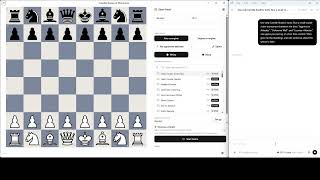
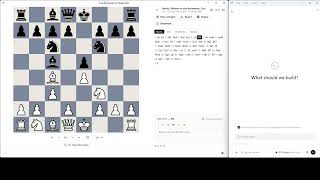
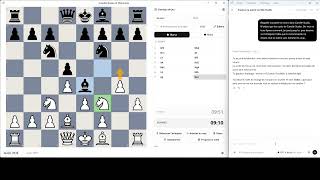
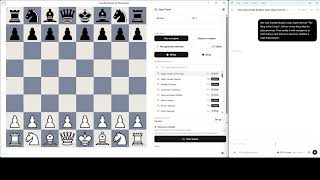
Camille Studio — Learn: The Italian Game
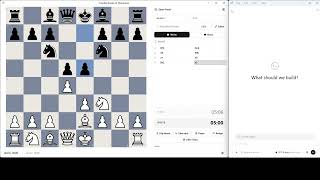
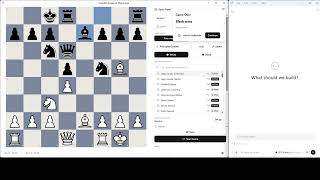
Learn: The Italian Game Elo 1450 Opening book · White

1. e4 e5
2. Nf3 Nc6
3. Bc4 Bc5
4. c3 …

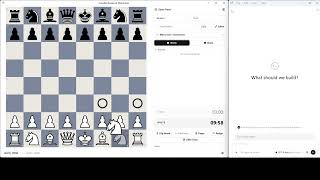
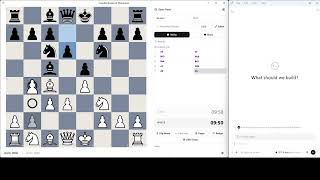
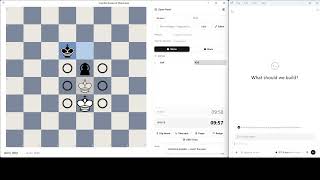
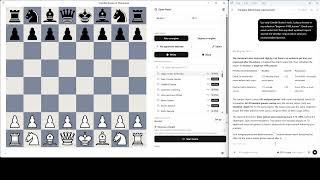
The green arrow and the red square are the coach drawing on your board as it explains. Nothing it draws plays a move, takes one back, or resigns.

What Camille does

Build the opponent

Ten kinds of block on a canvas: a plan in phases, a personality, hard do's and don'ts, a deliberate weakness, an opening repertoire, a tactic the bot watches for. No programming — and if you would rather describe your bot in a sentence, an AI can build it for you.

Restrict the engine

A bot can be forbidden to give check, to capture a defended piece, to cross a rank, or to settle on the four centre squares. The restriction is applied inside the search, not filtered afterwards — so the bot plays the best move it is allowed, not a good move with a bad one removed.

Study what happened

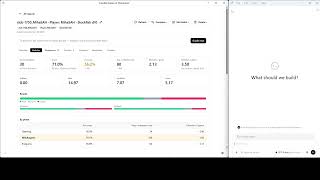
Grade a batch of your games with the engine of your choice and keep the report. Accuracy, the leaks you repeat, the phase where it goes wrong, every position worth a second look — and if you connect your own Claude or ChatGPT, a coach that reads the same report.

Platform
Windows 10 / 11, 64-bit
Licence
One-time purchase, $25
Engines
Camille, Stockfish, Maia, Rodent IV
Interface
14 languages · your data stays local

Camille plays standard chess. Strength is set with an Elo input on every bot, separately from its style — a 2500-rated bot that may not give check plays a long way below 2500, and that is the point.

Camille → Bot creator

Build an opponent out of blocks, not code.

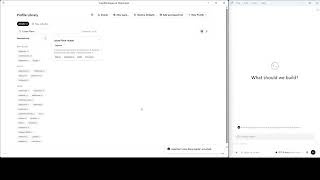
The Profile Builder is a canvas. You drop blocks on it — a plan, a personality, a rule, a flaw, an opening — wire them together, and save. The result is a bot that appears in your opponent list straight away, and that anyone you send the file to can play against.

The canvas

Open any bot in the library and choose Edit visually (block editor), or start from an empty canvas. The toolbar across the top adds blocks; the canvas holds them; the panel on the right configures whichever one you have selected. With nothing selected, that panel shows the bot's own settings — its name, its picture, its description, its engine overrides.

Blocks come in two kinds. Pinnable blocks — Strategy, Rule, Mood, Adaptation, Challenge, Engine — are always on: they apply for as long as their conditions hold. Flow blocks — Opening, Flaw, Condition, Scout — sit in a chain and hand control to the next block along, which is how a bot branches: play the book while it lasts, then fall through to the plan.

The cleanest way to make your own bot is not to start from nothing. Open the bundled bot closest to what you want, change one block, and Save as a new profile. The original is never touched.
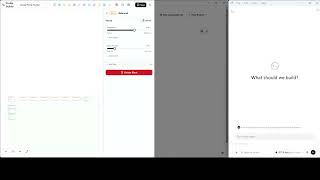
0:36
Open a bot in the visual builderEvery bot ChatGPT writes is blocks you can open. Move a slider, save, then ask ChatGPT to certify it again.

The ten blocks

The whole palette, in toolbar order. Every one of them is demonstrated by a bot that ships with the app, so you can open the example rather than read about it.

Block What it is for Always on Bundled example
Opening A memorised repertoire, as a branching tree of lines No — flow Learn: The Italian Game
Strategy One phase of a game plan, with goals and an end condition Yes Solid Positional
Rule A hard do or don't, applied to the moves themselves Yes The Bishop Sniper
Mood Personality sliders. One per bot Yes Aggressive Attacker
Flaw A deliberate, human-shaped weakness on a trigger No — flow The Flawed Attacker
Condition A yes/no fork in the chain No — flow (used to branch a plan)
Scout Watches every move for one tactic, and pounces No — flow Botam (Rook Scout)
Adaptation Changes behaviour when a situation holds Yes The Chameleon
Challenge A pass/fail rule for the human, not the bot Yes The Pacifist
Engine Which engine actually plays the moves Yes Strong Goliath

A single block is already a working bot. Camille Mood Only has no rules and no plan at all — its entire character is one Mood block with the aggression turned up. Camille Strategy Only is a two-phase plan and nothing else. Both ship, both are playable, and both exist to make the point that you do not have to fill the canvas.

Personality

The Mood block is the bot's temperament, expressed as sliders rather than rules: how hard it pushes for its goals, and how willing it is to take a draw. Mood changes the flavour of everything the bot does. It does not forbid anything — that is a Rule's job — and the difference is easiest to feel by playing Camille Mood Only and Aggressive Attacker back to back, since they share a mood and differ only in the rules stacked on top.

In 1.1.0: two sliders are offered in the + Add Slider menu — Aggression and Draw Aversion. Ten more (complexity, king safety, forcing play, trade hunger, tension, pawn ambition, mobility, material greed, structure care, space) are documented in the in-app guide but are not yet wired end to end, so a bot would not keep them on save. They return in a later update.

A plan in phases

A Strategy block is one phase of a game plan, and it has three parts: when the phase ends and what comes next, the goals the bot pursues while it lasts, and how hard the engine is told to push any one of them. Chain three of them and you have a bot that opens one way, squeezes another, and converts a third — Solid Positional and Endgame Technician are both built this way.

Goals are concrete things an engine can be aimed at: control a file, post a knight on an outpost, trade into a won ending, keep pawn tension, attack the castled king. Phases end on conditions you pick — a move number, a material count, an open centre, a queen trade.

Describe it instead

You do not have to fill the canvas by hand. Camille can hand an AI a copy of its own authoring guide together with your description, and read back the profile it writes:

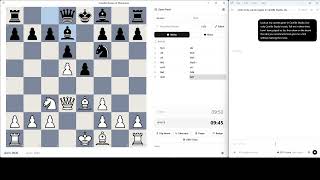
Create a cautious 1650-rated bot from this description: it values king safety, avoids speculative sacrifices, and prefers closed centres. Save it, run a two-game match against the standard Camille engine, then explain one move where the bot followed — or broke — those instructions.

With a desktop AI connected, that single request builds the bot, saves it, plays it and explains it. Without one, the same flow works by copy and paste. Either way the profile lands on the canvas as ordinary blocks, which you can then edit like any other. See Your own AI.
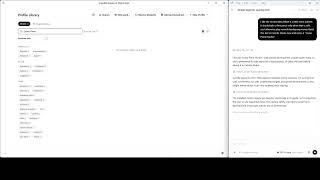
1:17
Design a bot from a conversationA coach describes what beginners get wrong; ChatGPT builds the bot and certifies it with real games.
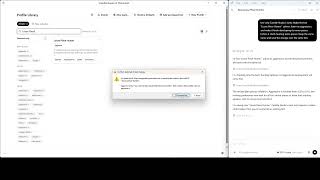
0:38
Tweak a bot in plain wordsAsk for a calmer version. Camille asks you to confirm before the bot is overwritten.

Save, verify, share

Save writes the bot to your library and offers Save as a new profile so you never overwrite the thing you started from. Diagnostics separate errors, which stop a save, from warnings, which tell you a block will never fire — a phase whose end condition can't be met, a rule that contradicts an earlier one.

Verify bot plays the bot against itself and its stated behaviour, and tells you whether the rules you wrote actually bite. Export writes one file containing the bot, its picture and everything it needs; the person you send it to imports it and plays. A bot's picture is stored as a small square copy inside the profile, so the original file on your disk is never moved or referenced.

You can also give a bot a picture from the editor: Choose image opens a framing step where you drag to reposition, zoom with the wheel or the slider, and rotate photos that came off a camera sideways.
0:24
Does the bot keep its promise?ChatGPT reads a bot's plan, plays it as White and as Black, and reports whether the rule held.
0:37
Share a botShare a bot as one file: open, locked or sealed. ChatGPT drafts the message that goes with it.

Quick reference

The Bot creator page in brief.

Block colours on the canvas

Violet Opening
Green Strategy
Amber Rule
Orange Mood
Red Flaw
Cyan Condition
Indigo Scout
Fuchsia Adaptation
Yellow Challenge
Sky Engine

Common questions

Do I need to know how to program?

No. There is no code anywhere in the Profile Builder — blocks, dropdowns and sliders only.

Can I break a bundled bot?

No. Bundled bots are read-only. Editing one always saves as a new profile; the original stays as it shipped.

How many blocks does a bot need?

One. Camille Mood Only is a complete, playable opponent built from a single Mood block.

Where do my bots live?

In the app's own data folder on your computer. Nothing is uploaded, and a bot only leaves your machine if you export it and send the file yourself.

Next: Restrictions · Opponents & packs · Home

Camille → Restrictions

Rules the bot cannot break.

Most "weak" chess bots are a strong engine told to play worse — they blunder at random, and the blunders feel arbitrary because they are. A Camille restriction is different: it removes a category of move from the engine's search, so the bot plays the strongest move it is allowed. The result is an opponent with a recognisable handicap you can plan against.

Behavioural — a category of move is banned

The Pacifist gives_check — cannot give check at all, until the move that delivers mate. The purest single-rule bot in the library: one rule, no plan, and an opponent that plays a completely different game of chess. Your king is safe in the open; its pieces have to win squares instead of tempo.

The Gentleman capture_protected_piece — will not capture anything that is defended. Hanging pieces get taken; a defended pawn on d5 sits there all game. Trades happen on the bot's terms or not at all.

The Pawn Assassin capture_except_with — only pawns may capture. Its pieces can attack, pin and threaten, but the moment a capture is the point, a pawn has to be the one to do it.

Territorial — the board itself is fenced off

The Emperor forbid_non_capture_to — no piece may settle on d4, d5, e4 or e5 unless it captures there. A bot that has to win the game from the wings, and a good way to feel how much of normal chess is centre occupation.

The Wall forbid_crossing — sliding pieces may not cross a nominated rank. A hard barrier down the middle of the board: rooks, bishops and the queen live on their side of the line, and everything has to be arranged around it.

Piece affinity — favours or clings to one piece

Not every restriction is a prohibition. A prefer rule biases the search toward a class of move without forbidding anything, which is how you get a bot with a habit rather than a handicap.

The Bishop Sniper reaches for the bishops and refuses to trade the pair — a prefer rule and a forbid-trade rule together. Knight Maneuver Specialist routes knights toward outposts and comes alive in closed positions. The Color-Blind Rooks is the soft, playable take on drawback chess: its rooks prefer to stay on the square colour they started on, so they will leave it when it really matters and feel wrong-footed the rest of the time.

Value and handicap — restricted by what a piece is worth

The Pawn Pusher plays pawns only for its first moves and may not castle early — a self-handicap that hands you a development lead and asks whether you can actually use it. This family is where deliberately generous opponents live, and where a coach can set a specific task: beat this bot, from this start, with this much rope.

A Challenge block turns any of this into a pass/fail exercise for the human: the bot plays under its restriction, and you are graded on whether you met the condition set for you.

0:20
Play under the bot's ruleThe Pacifist never gives check. Turn the tables and play under the same rule as the bot.

Why not a strength dial

Every bot has an Elo input, and it does what you expect. But style and strength are separate settings on purpose, and the Elo on a bot's card is a starting suggestion, not its identity.

A bot rated 2500 that cannot give check, or whose rooks will not change square colour, plays a long way below 2500. The Elo loss is not a defect to tune out — it is the restriction working. Pick the bot whose character you want to practise against, then set the strength yourself.

More restriction flavours ship unfeatured, for builders who want to study or revive them: The Divider, The One Raid, Cooldown Chess, The Tension Master, The Formation, The Peasant Army, The Charging Queen and No-Repeat v2.

Quick reference

Every featured restriction, the bot that demonstrates it, and the rule behind it.

Bot Family The rule Move filter
The Pacifist Behavioural No checks until mate gives_check
The Gentleman Behavioural No capturing a defended piece capture_protected_piece
The Pawn Assassin Behavioural Only pawns may capture capture_except_with
The Emperor Territorial May not settle on the centre four forbid_non_capture_to
The Wall Territorial Sliders may not cross a rank forbid_crossing
The Bishop Sniper Piece affinity Reaches for bishops, keeps the pair prefer + forbid-trade
The Color-Blind Rooks Piece affinity Rooks prefer their own square colour prefer
The Pawn Pusher Handicap Pawns only early, no early castling value / piece class

Next: Opponents & packs · Bot creator · Home

Camille → Opponents & packs

Sixty-odd opponents, and all of them are editable.

The library is organised by the kind of bot rather than by strength, because strength is a slider and kind is not. Every bot below can be opened in the Profile Builder, changed, and saved as your own — the bundled original is read-only and stays exactly as it shipped.

Natural players — "just give me a good game"

Mood-driven personalities with no hard restrictions. Pick a flavour, set your Elo, play. Aggressive Attacker leans on forcing moves and captures; Solid Positional plays a calm three-phase squeeze; Counter-Attacker invites pressure and then hits back; Blitz Tactician is a sharp open-game calculator.

0:28
Pick me a sparring partnerChatGPT reads every bot's description, recommends one and says why.
0:42
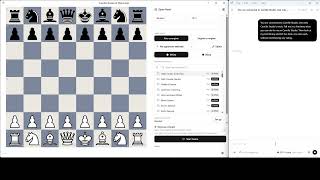
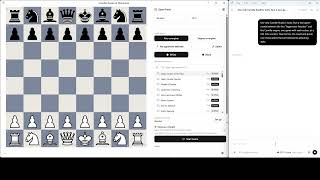
Play a bot: the basicsA time control, an opponent, your colour. Right-click to draw, take back a slip, ask ChatGPT for a hint.

Teaching bots — clean, punishable, instructive

Blunder-light opponents a learner can study under, several of which can also be selected as a Teacher that comments as you play. Principled Teacher is the classic five-block clean bot; Solid Positional Teacher is a gentler positional guide; Endgame Technician plays precise technical endings; Master Reviewer is a strong analysis voice rather than an opponent.

Signature restrictions

The bots that exist to show what the engine can do — The Pacifist, The Gentleman, The Pawn Assassin, The Emperor, The Wall, The Color-Blind Rooks, The Bishop Sniper, Knight Maneuver Specialist and The Pawn Pusher. Each one is a single idea carried all the way through a game. They have a page of their own.

Character bots

Romantic and aggressive: The Immortal sacrifices everything for the attack and is built from nearly every block type in the app; The Queen Gambiteer builds patiently toward a queen sacrifice.

Defensive grinders: Defensive Wall soaks pressure and counters; Fortress & Grind builds a fortress and then grinds; The Prophylactic plays Petrosian-style, restricting your plans before its own; The Pawn Wave works steadily toward a passed pawn.

Adaptive: The Chameleon heats up in the middlegame and cools into the endgame; The Anti-Human steers deliberately toward complexity to exploit human error; Botam (Rook Scout) hunts rook-sacrifice brilliancies on every move.

Beatable on purpose: The Flawed Attacker plays a frightening attack that always has a refutation somewhere, and your job is to find it.

For fun: The Drunk Knight hunts smothered mates and forks; The Pawn Tsunami is a relentless pawn storm; The No-Repeat can never move the same piece twice running.

Repertoire trainers

Open-book bots that play a fixed repertoire, so you can drill one line until it is yours. Learn: The Italian Game (White), Learn: The Caro-Kann (both sides, plus dedicated single-side trainers), Learn: The French Defense (Black), Learn: The King's Indian (Black), Sicilian Dragon (Black), Queen's Gambit Strategist, The Evans Gambit, The Budapest Trap, The Fried Liver Book — and The Bongcloud, which is a joke that plays itself straight.

0:40
Train an opening linePick a line as White or Black; Camille plays the opening moves, then ChatGPT explains the plan on the board.

Training packs

A bot pack groups several bots and several starting positions under one library entry. You never play the pack itself: picking it offers a version and a starting position, and the first of each is selected by default. Three packs ship, all in French, all read-only — copy their versions into a pack of your own to change them.

Trous sur cases blanches / noires. Pick a colour and the bot riddles its own light squares — or its own dark squares — with holes for you to exploit. Two versions, standard start. The subject is a weak square complex and nothing else.

Le roi qui ne roque pas. Six opponents whose king stays in the centre, each reacting to what you do. Le chasseur de roque tries to deny your castling and then storms the wing you castled on — harder if you castled late. Le roque à mériter may castle at move 20, unless the d- or e-file opens first, in which case it never castles and has to defend. Le piège à dame plays stronger if your queen comes out before move 10 and calmer if you develop patiently. Le centre fermé is safe while the centre is closed and switches to defence the moment it opens. L'échangeur offers the queen trade: accept and its king becomes a fighting piece. L'encaisseur grabs material you sacrifice and trades everything off — but throws everything at your king if you win material instead.

Finales de pions — le cours complet. Seventeen pawn endings, from the square of the pawn to corresponding squares, with the defender's strength set by the Elo slider. White always moves first and the position is identical whichever colour you take, because in a pawn ending a single tempo decides the result — so each title names the task and you pick your colour to match it: White for Blancs gagnent and Blancs annulent, Black for Noirs annulent.

0:36
Play a training packPick a pack, a version and a starting position; ChatGPT coaches the ending with you.

Quick reference

The three bundled packs, and how packs behave.

Bundled packs

Pack Trains Shape
Trous sur cases blanches / noires Exploiting a weak square complex 2 versions, standard start
Le roi qui ne roque pas Attacking a king left in the centre 6 reactive versions
Finales de pions Pawn endings, square of the pawn to corresponding squares 1 version × 17 positions

How packs work

Do the versions clutter my bot list?

No. Only the pack appears in the library; its versions exist to be played through it.

Can I make my own?

Yes — New pack… in the library. Add versions by copying in bots you already have, add starting positions, label them, and order them. Copying a bot into a pack never changes the original.

How do I share one?

A pack exports and imports as a single file, versions and positions included. A pack imported in sealed or locked form cannot be edited or re-exported, so keep the import file as your backup.

What does deleting a pack remove?

The pack and every version in it. A version only exists as part of its pack, and removing one and saving is permanent.

Next: Your own AI · Progress · Home

Camille → Your own AI

Bring the AI you already pay for.

Camille does not sell you a chatbot and does not ask for an API key. It connects to the Claude Desktop or ChatGPT Desktop app already on your computer, and gives it a set of tools: build a bot, run a match, read a report, coach the game on screen. The conversation happens in that app, under your own subscription, and nothing routes through a server of ours.

What connecting does

Camille Studio exposes its own features as tools the AI can call. Once connected, you talk to your AI normally and it operates the app: it writes a bot profile and saves it to your library, starts an isolated engine match and reads the games back, pulls up a weakness report for a collection, or watches the game you are playing and explains it.

The point is grounding. A general chat model asked about your chess is guessing; the same model with get_weakness_report in its hands is reading your actual graded games and citing the move number.

Two things to know before you start. Camille Studio has to be activated — the bridge accepts connections only from an activated copy, and an unactivated one does not hide the tools, it makes every one of them fail to connect, which looks like a broken setup and is not. And you do not need Node.js: Camille ships the runtime both clients use. Keep Camille open while you use the AI.

0:27
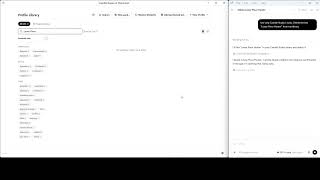
What can ChatGPT do inside Camille Studio?Asked what it can do, ChatGPT reads the bot library through Camille's own tools.
0:22
Bot versus engine matchChatGPT runs a two-game match and quotes one move where the bot's style showed.
0:23
A bot tournamentThree bots, three styles. ChatGPT runs the whole round-robin inside Camille Studio and explains the standings.

Claude Desktop

Open Preferences → Connect an AI and choose Install for Claude. Camille hands Claude its bundled extension rather than editing Claude's JSON configuration. If Windows knows how to open the file, Claude opens its import window and you approve the extension; otherwise Camille highlights the file in File Explorer and tells you so — that is a normal outcome, not an error — and you drag it onto Claude's Settings → Extensions page.

Then fully quit and restart Claude Desktop. Closing the window is not enough. Start a conversation, and Connect an AI will show Connected.

One thing to remember after a Camille update: Claude Desktop keeps its own copy of the extension. If the tools go missing after an update, re-install from Connect an AI and restart Claude.

ChatGPT Desktop

Check which ChatGPT app you have first. Only the current ChatGPT desktop app can connect. The previous one — which calls itself ChatGPT Classic — stays installed alongside it, and nothing on screen tells you which you opened. Classic never reads the configuration file Camille writes, so setup will report success, everything on Camille's side will be correct, and ChatGPT will still never see Camille. Restarting cannot fix it. To check: open Settings and look for an MCP servers section, or type /mcp in the message box. If neither exists, you are in Classic. Claude Desktop has no equivalent split.

In Preferences → Connect an AI, review the [mcp_servers.camille_studio] block shown on screen — its command is the bundled Node runtime, not a system-wide node. Choose Set up ChatGPT. If a configuration already exists, Camille backs it up and merges its own entry without touching your other MCP servers; Copy config is the manual fallback, and Undo setup removes only Camille's entry. Then fully quit and restart ChatGPT.

0:54
Connect ChatGPT in one clickPreferences, Connect an AI, Set up ChatGPT. No token to copy, no file to edit.

Drawing on your board

Ask the connected AI to coach the game you are playing and it can draw as it explains — arrows for the move it recommends or the reply that punishes a blunder, coloured squares for the ideas behind them. The colours are the ones you get drawing by hand: amber for an idea, green for a good move, red for a threat.

The drawings are chalk on top of your game and nothing more. They are wiped the moment they stop being true — as soon as you move, step through the game, left-click the board or start a new game — and a drawing sent for a position you have already left is refused rather than drawn on the wrong board.

You can draw the same marks yourself at any time, with or without an AI: right-click and drag for an arrow, right-click a square to mark it, Shift for green, Ctrl for red. Annotations are yours alone — they change nothing about the position and are never sent to the bot.

0:52
Live coaching during a gameChatGPT follows the game move by move, draws its idea on the board and hints without naming the move.

What it cannot do

Nothing the AI can reach plays a move for you, takes one back, or resigns, and no text of its own ever appears on the board. Coaching is commentary and drawing; the game stays yours.

Nothing is uploaded by Camille. The coach reads your reports over the same local connection as the live-game coach. What you then send to Anthropic or OpenAI is whatever your AI client sends in the course of your conversation, under that provider's terms — which is worth knowing, and is the one place your chess leaves your machine.

If you get stuck, Copy setup help puts a short description of your exact setup on the clipboard to paste into the AI. It lists real folder paths, which may reveal your Windows account or network share names; it contains no password, licence key or token. Read it before pasting.

0:33
Delete a bot with ChatGPTDeleting a bot always goes through Camille Studio's own confirmation.

Quick reference

Connecting a desktop AI, and what to check when it does not work.

Troubleshooting

ChatGPT has no Camille tools, and restarting changes nothing You are almost certainly in ChatGPT Classic. It produces no error anywhere. With Camille running and ChatGPT freshly started, look for a node.exe process — if there is none, ChatGPT never read the file.
No Camille tools at all The extension or config entry was never loaded. Fully quit and reopen the AI client. Start order does not matter.
Tools appear, every call fails to connect Camille Studio is not running, or not activated. Start and activate it — you do not need to restart the AI client.
Camille reports a missing resource The installation is incomplete. Reinstall.
Tools vanished after an update Re-install the extension from Connect an AI and restart the client.

Common questions

Do I need an API key?

No. Camille never asks for one and has nowhere to put one. You use the desktop app and subscription you already have.

Does Camille send my games to an AI company?

Camille sends nothing anywhere. Your AI client sends whatever it sends during your conversation, under its own provider's terms.

Do I have to open the AI first?

No, and start order does not matter. Camille creates whatever configuration is missing, and can do so before the client has ever run.

Is an AI required to use Camille?

No. Building bots, playing, matches and the Progress reports all work with no AI connected at all.

Next: Progress · Bot creator · Home

Camille → Progress

Find out what you keep getting wrong.

One game analysed tells you about one game. Camille grades a whole batch — any slice of your library you can describe — and keeps the report, so the next one can be compared against it. Accuracy, the mistakes that repeat, the phase where your games go wrong, and every position worth looking at again. No AI required.

Building a batch

A batch is a filter over your game library, not a fixed folder, so the same batch picks up new games as you play them. Narrow it by collection, by player name, by colour, by opponent, by date range, by result, and — under More filters — by time control, event, or opening by ECO prefix. Limit to the most recent games caps the batch after every other filter has been applied.

A live preview line updates as you type — "142 games · 130 graded with Stockfish d12" — so you know what you are about to generate before you commit to it. Fifty to a hundred games is a good first report.

0:51
Progress, without the coachBuild a batch from your library and read the report with no AI connected. ChatGPT reads exactly the same numbers.
0:44
Your game libraryCollections, move-by-move replay, search by FEN. ChatGPT sees the same library before any analysis.

What needs grading, and what does not

Win/draw/loss, the colour split, your opponents, your openings and your time controls come straight from the library rows. No engine, no waiting — that part of the report opens instantly.

Everything that needs an engine's judgement — accuracy, average centipawn loss, the leak patterns, the move explorer — needs the games graded first. Pick the engine and the depth: Stockfish is the reference yardstick when installed, the Camille engines work too, and the bots that play to lose cannot grade and are not offered. Depth 8–10 is a quick first pass; 12 is the default and matches the live coach; higher costs time without changing the verdicts much.

Budget one to two and a half minutes per game at depth 12 — a forty-move game is eighty positions to search. Fifty games is an hour or two; start it when you have finished playing for the day. Grading is exclusive: nothing else runs while it works, it cannot start while you are in a game, and Cancel stops after the current game and keeps everything done so far. Games you add later are graded on the next run only, so re-running is cheap. Only standard chess is graded; Chess960 and other variants are listed as skipped.

Reading a report

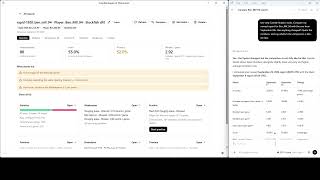
A report has five tabs. Overview leads with games in scope against games analysed, your score and W/D/L, accuracy and average centipawn loss with the change since the last comparable report, errors per game, and a trend chart across your whole report history. Once the batch is graded it adds a by-phase table with the worst phase highlighted, conversion and resilience numbers — how often a winning position was converted, drawn away or lost outright, and how often a lost one was saved — and plain-language insights that are clickable: "38% of your winning positions ended in a draw or loss" takes you to the games it is talking about.

An error means the same thing everywhere in the report: a move the engine's own grading calls an inaccuracy, a mistake or a blunder. There is no second cutoff hiding in another tab.

The other tabs take it apart: the leaks you repeat, ranked by what they actually cost you; every game, grouped and sorted how you like; a move-by-move explorer across the whole batch; and a timeline by the month each game was played, not the month you ran the review — so a bad March still reads as a bad March even if you review a year of games in one sitting.

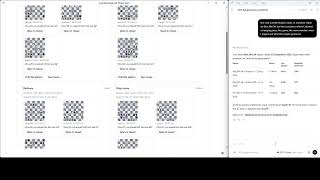
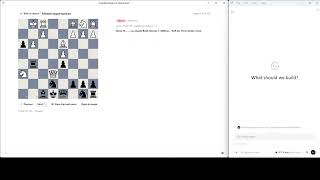
When there is enough data to rank your leaks by cost, a Your plan card appears at the top of Overview and Leaks. And you can replay your mistakes: the positions go back on the board for you to find the move you missed.

0:27
Show me the positionsThree positions from your own games where the same mistake happened, each replayable in the drill.
0:49
Replay your mistakesEvery mistake in a report goes back on the board. Find something better; the engine grades each guess.

Comparing over time

Generating a report again from the same batch never overwrites the old one — it adds a new one, so the two can be put side by side. That is the whole reason reports are kept: a single accuracy number is noise, and 71 → 74 → 78 is a story.

One caveat, and the app enforces it: reports graded by different engines are different yardsticks. Camille will still compare them, but it treats the differences as indicative and says plainly that the yardstick changed.

0:33
Am I improving?ChatGPT compares two saved reports and quotes the differences; Camille shows the same comparison in Progress.

Handing it to a coach

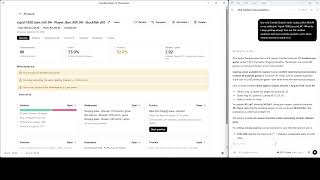
Everything above works with no AI connected. If you do connect one, it reads the same reports — "Look at my Club games 2026 collection. I play as salesse. What do I keep getting wrong?" — and answers with concrete positions: the game, the move number, the move you played, the engine's move, and the reply that punished yours. If some games are not graded, it tells you how many and asks before starting a review, because the app will be busy for a while.

It also remembers. When the coach recommends something — work on hanging pieces, say — it can save a note, and Camille measures how common that problem is at the moment the note is saved; the coach never writes that number itself. Next time, it re-measures the same thing against your latest games and tells you whether it actually improved. Every open note is visible, and deletable, under the collection's Coach notes list.

Gradings live in a library-reviews/ folder under the app's data directory, one file per game, engine and depth. Delete it and the next review simply grades everything again. Nothing is uploaded.

0:58
Post-game debriefEvery move reviewed with the engine, the turning mistake named, the punishing reply drawn on the board.
0:36
What do I keep getting wrong?Eighty games in the library. ChatGPT builds a weakness report from the graded games and explains the costliest one with a real position.
0:29
The coach remembersThe coach reads its own note from last session, then the fresh report, and tells you how you did on that advice.

Quick reference

Depths, costs and what each tab holds.

Choosing a depth

Depth Use it for Roughly
8–10 A quick first pass over a lot of games Well under a minute a game
12 (default) The yardstick the live coach uses 1–2.5 min a game
Higher Rarely worth it — verdicts change little Materially slower

100 games at depth 12 is roughly 2–4 hours, and the app is exclusive while it runs.

The five tabs

Overview Score, accuracy, ACPL, errors per game, by-phase table, conversion and resilience, trend chart, clickable insights
Leaks The patterns you repeat, ranked by what they cost
Games Every game in the batch, grouped and sorted
Moves A move-by-move explorer across the whole batch
Timeline Month by month, by when the game was played

Next: Your own AI · FAQ · Home

Camille → FAQ

Questions people ask before buying.

Camille Studio is a one-time purchase for Windows. It runs on your computer, it does not need an account, and it does not need an internet connection to play, build bots or analyse your games.

Buying and licensing

What does it cost?

$25, once. There is no subscription, and no account to create.

What do I get for that?

Camille Studio itself: the engine, the Profile Builder, the whole bundled library and its three training packs, bot-versus-bot matches, the game library, and the Progress reports. Updates are published as signed packages.

Do I need an account?

No. A licence is bound to your copy of the app; there is no login, no profile on a server, and nothing to sign in to.

Can I move it to another computer?

A licence key holds a limited number of activations, so a new machine uses one. If you run out because of a reinstall or a dead drive, write to us and we will reset it.

Running it

Which operating systems?

Windows 10 and Windows 11, 64-bit. The current release is 1.1.0.

Which engines can it use?

The Camille engines ship with it. Stockfish, Maia, Rodent IV and other UCI engines you install are picked up automatically — the Engine block's list is built from what is actually on your machine, and a bot can name any of them. Stockfish is the reference yardstick for grading games.

Does it need an internet connection?

Not to play, build bots, run matches or analyse your games. Updates and first activation need one.

Can I play a friend online?

No. Camille is for playing bots you build and studying games you have already played, not for online matchmaking. You can import games from anywhere as PGN and analyse them.

How it compares

The honest short version: if what you want is a strong engine, install Stockfish — it is free and it is stronger. If what you want is a specific opponent, that is the gap Camille fills.

Camille A chess site's bots A plain UCI engine
Where it runs Your computer Their servers Your computer
Weaker play comes from Rules the engine obeys in-search Random error injection, mostly Reduced depth or skill level
Can you author an opponent? Yes — ten block types, visually No Only via engine parameters
Can you share one? Yes — one file, picture included No Not meaningfully
Analysis of your own games Batch reports, kept and comparable Usually per game, often paid Per position, manually
AI coaching Your own Claude or ChatGPT, grounded in your graded games Varies; server-side None
Cost $25 once Usually a subscription Free

Your data

What leaves my computer?

From Camille itself: nothing. Your games, bots, pictures and gradings are files in the app's data folder. The one exception is what you send: if you connect Claude or ChatGPT, that client sends your conversation to its own provider under its own terms.

Can I get my games back out?

Yes. Games are PGN. Bots and packs export as single files. Nothing is in a format only Camille can read.

Is an AI required?

No. Everything except the conversational coach works with nothing connected, including the full Progress reports.

Camille in one table

Camille Studio 1.1.0.

Specification

Version 1.1.0
Operating system Windows 10 / 11, 64-bit
Licence One-time purchase, bound to your copy
Price $25
Bundled bots 60+, all editable, plus 3 training packs
Block types 10
Engines Camille, plus any UCI engine installed
Variants Standard chess (Chess960 is not graded)
AI clients Claude Desktop, ChatGPT Desktop — no API key
Storage Local files only

Still deciding

I am a beginner. Is this for me?

The teaching bots and the repertoire trainers are, and the Progress report will tell you what to work on. The Profile Builder needs no programming, but it does assume you know what you want a bot to do.

I am a coach. Can I give bots to my students?

Yes — export a bot or a pack as one file and send it. Sealed packs can be shared without the recipient being able to edit or re-export them.

How strong is it?

Strong enough that restriction is the interesting part. Every bot has an Elo input; the character comes from its rules, and a heavily restricted bot plays well below its number on purpose.

Next: Bot creator · Restrictions · Home